Teacher Training Nonprofit - Google Ad Grant Case Study
Introduction
This client is a teacher training nonprofit, and we’ve kept them anonymous here. They train new teachers in one metro area, with a residency built for career changers and recent grads and a fellowship that supports people who are already in the classroom. Everything below is from their live Google Ad Grant account.
They had a Google Ad Grant, but it was barely running. The account had been suspended, and from March 2025 through February 2026 it spent $45.19 in total:
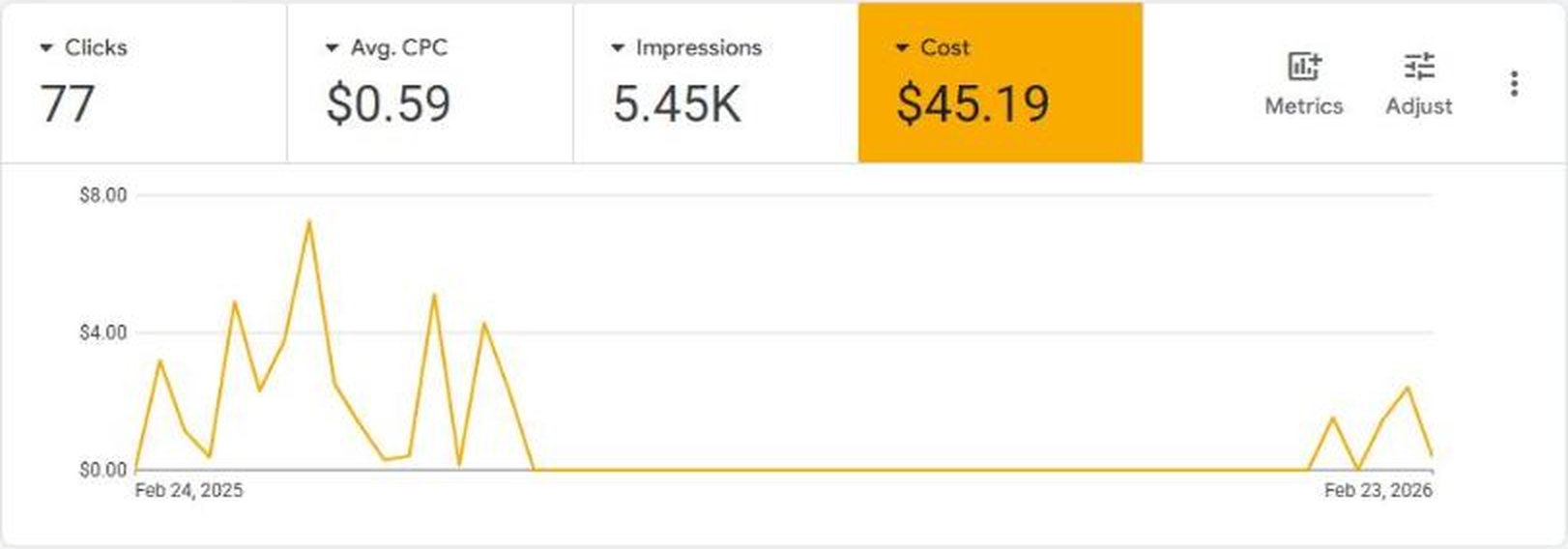
On our first call we found the likely cause, an old campaign still sending traffic to their former domain, which wasn’t approved in the account. Once Google cleared the account, it was ready to build on.
Google Ad Grant Goals
The nonprofit wanted to use the Google Ad Grant to:
- Generate applications, or steps toward an application, for their residency and fellowship programs
- Reach career changers, recent grads and community-minded people in their city and nearby cities with colleges
- Use as much of the grant as possible, after a year of almost nothing
Overall Results
The first thing we built was conversion tracking. Their conversion dashboard tracks their program forms, clicks to apply, contact forms, donate clicks and more, so every campaign is judged on actions that bring people closer to the classroom.
On our first call we were upfront that this would be a harder account to scale than most. Teacher training searches compete with paid advertisers, and every applicant needs to be in their city or willing to move there, which narrows the audience. Here’s what happened anyway, from a year of almost nothing to the best month in the account’s history:
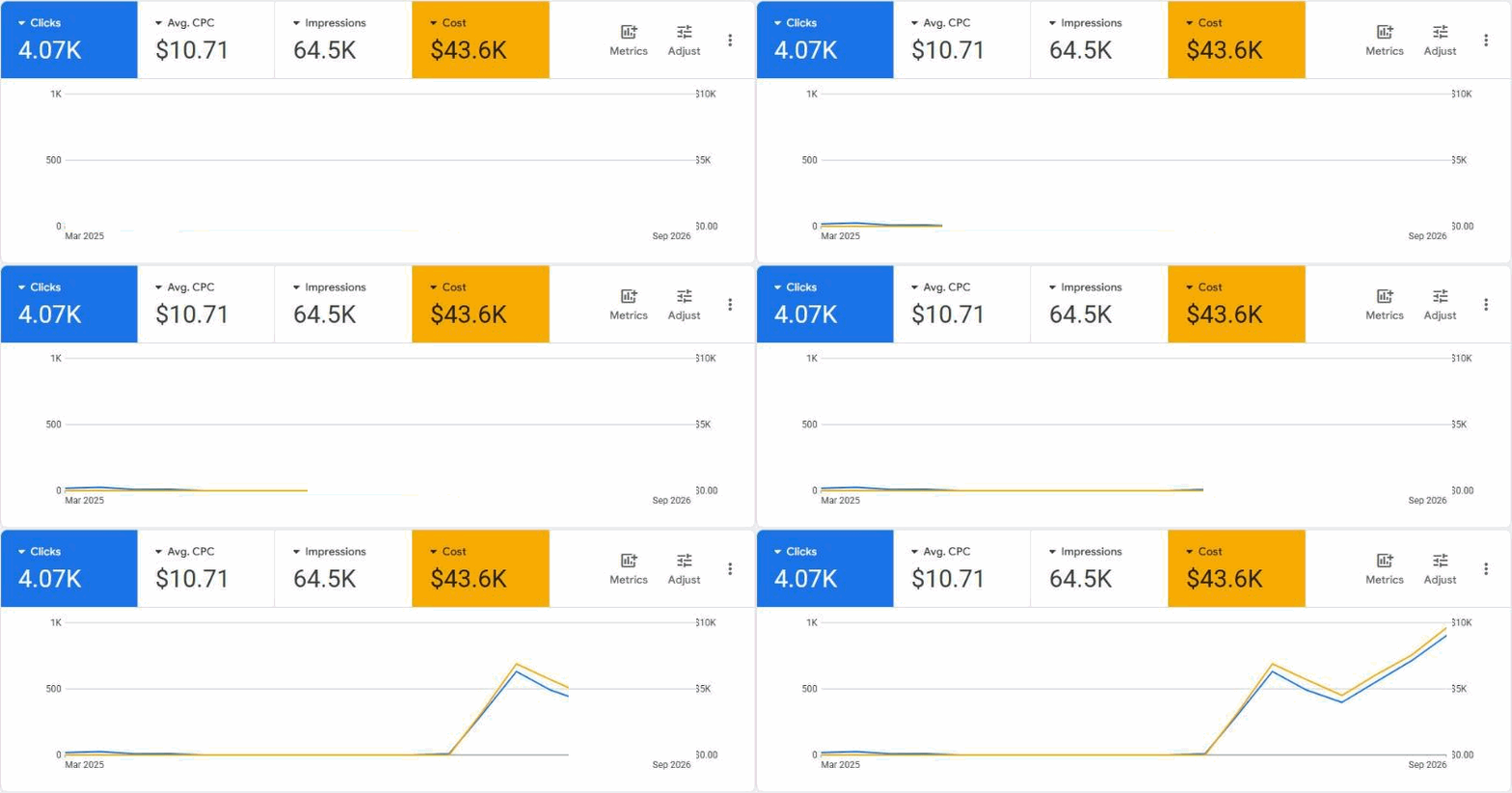
In our first four months, March through June 2026, the account used $20.3K of the grant, after $45.19 in the entire year before:
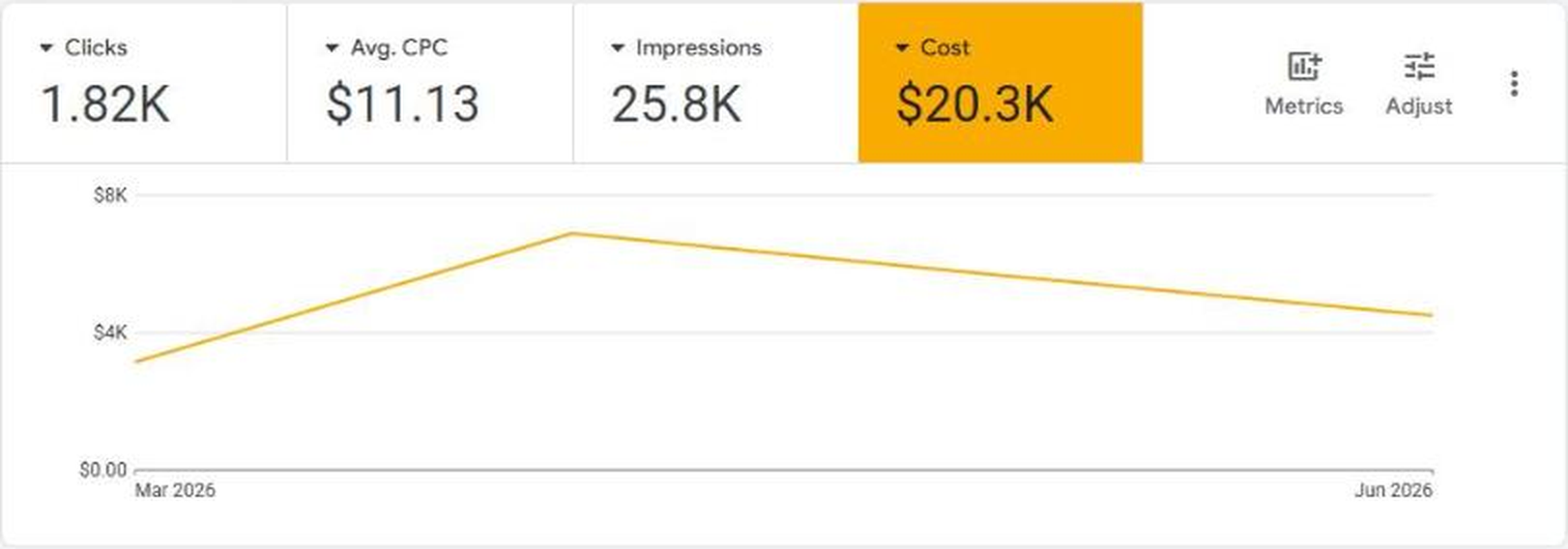
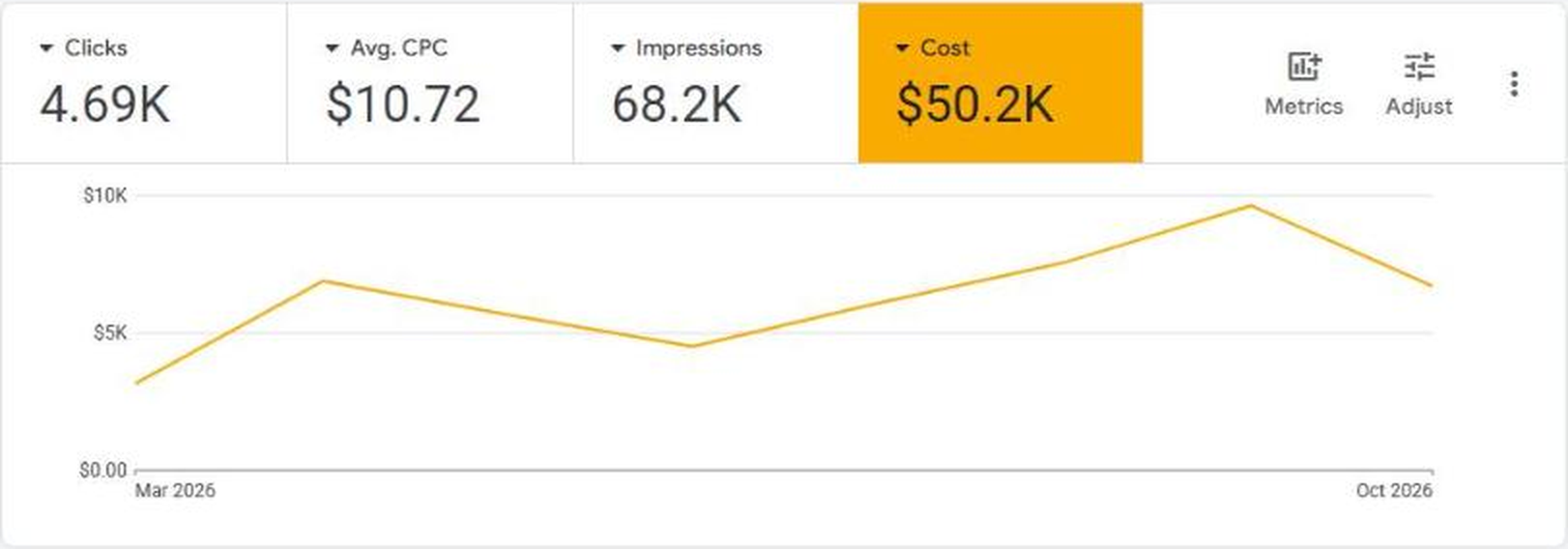
Counting everything from March through October 2026, the account has used $50.2K of the grant:
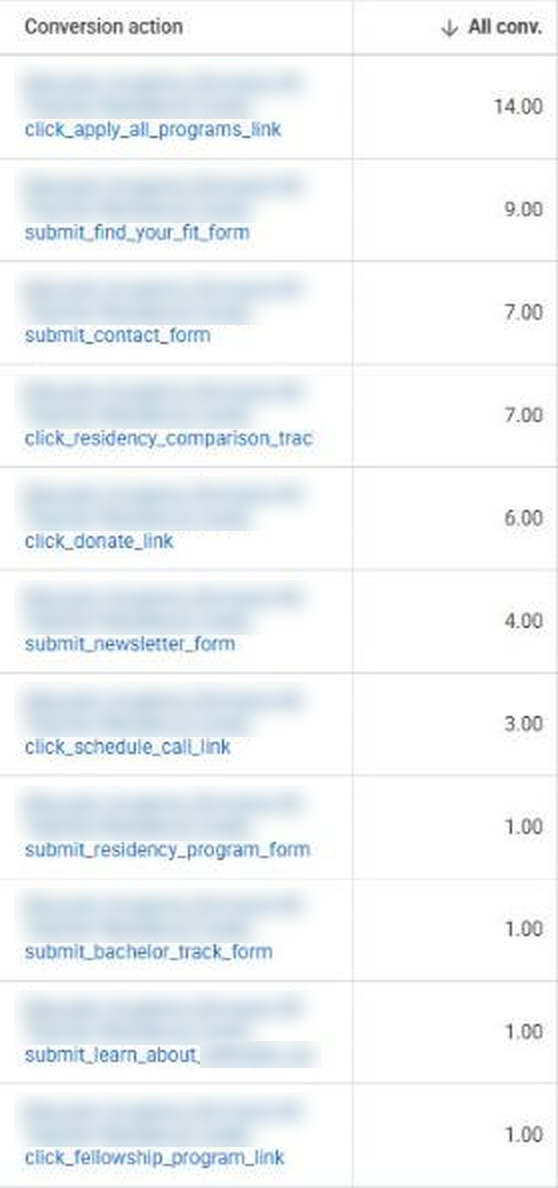
More importantly, that traffic takes real steps toward teaching. Leaving out time-on-page signals, the grant drove 54 tracked actions over those eight months, including 14 clicks to apply, 9 find-your-fit forms, 7 contact forms and 6 donate clicks:
Process and Strategy
Let’s explain how we did it.
Counting Every Step Toward an Application
Their application is long, which makes sense for a teacher program, but it means few people finish it in one sitting. So we tracked every step toward applying, from the find-your-fit form to clicks to apply, and added an engagement conversion for people who spend real time on a page and scroll through it. That engagement signal isn’t a result on its own, but it gives Google enough data to keep spending, and more spend brings more of the conversions that matter.
Two Campaigns Built From Their Own Pages
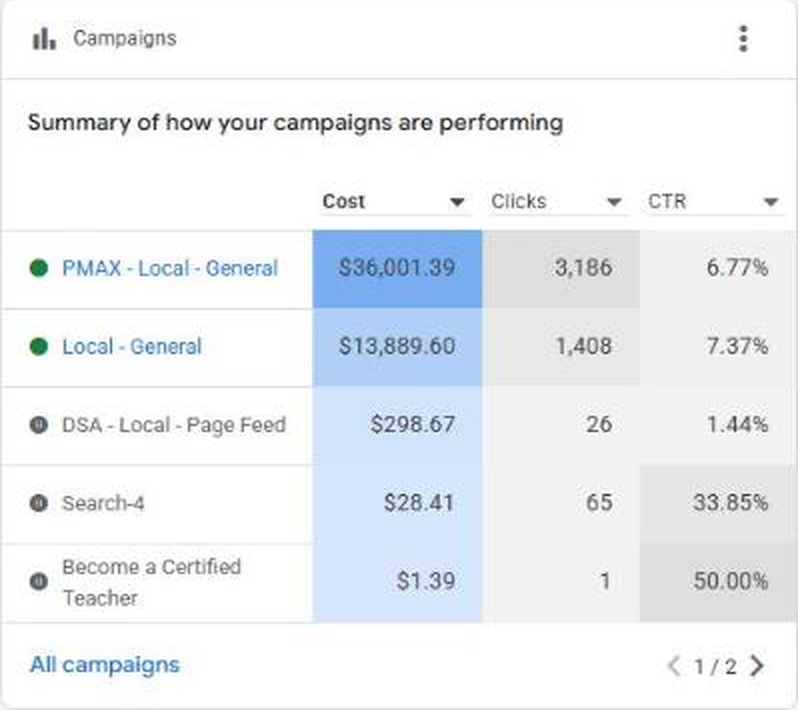
We built two main campaigns. A Performance Max campaign uses audience signals, people interested in teacher training, certificate programs and secondary education, to find searches we would never think to list. Beside it, a search campaign with ad groups built around specific pages of their website, each with its own keywords and its own landing page.
We started broad on purpose to gather data, then doubled down on what converted:
Following the Searches That Convert
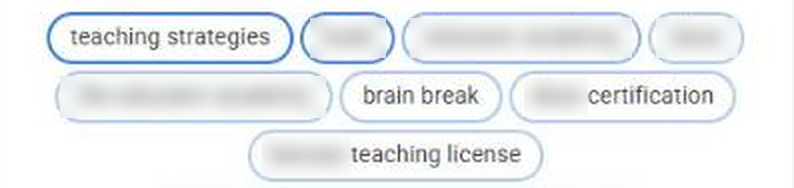
The search terms told us where to go next. In May, one of the find-your-fit forms came from state teaching certification traffic, a clear sign of a good fit, so we kept adding keywords based on what converted and on the content already on their site. We also built a content map, article topics like changing careers and how to get into teaching, so the grant can reach people who are still deciding.
Built to Keep Running
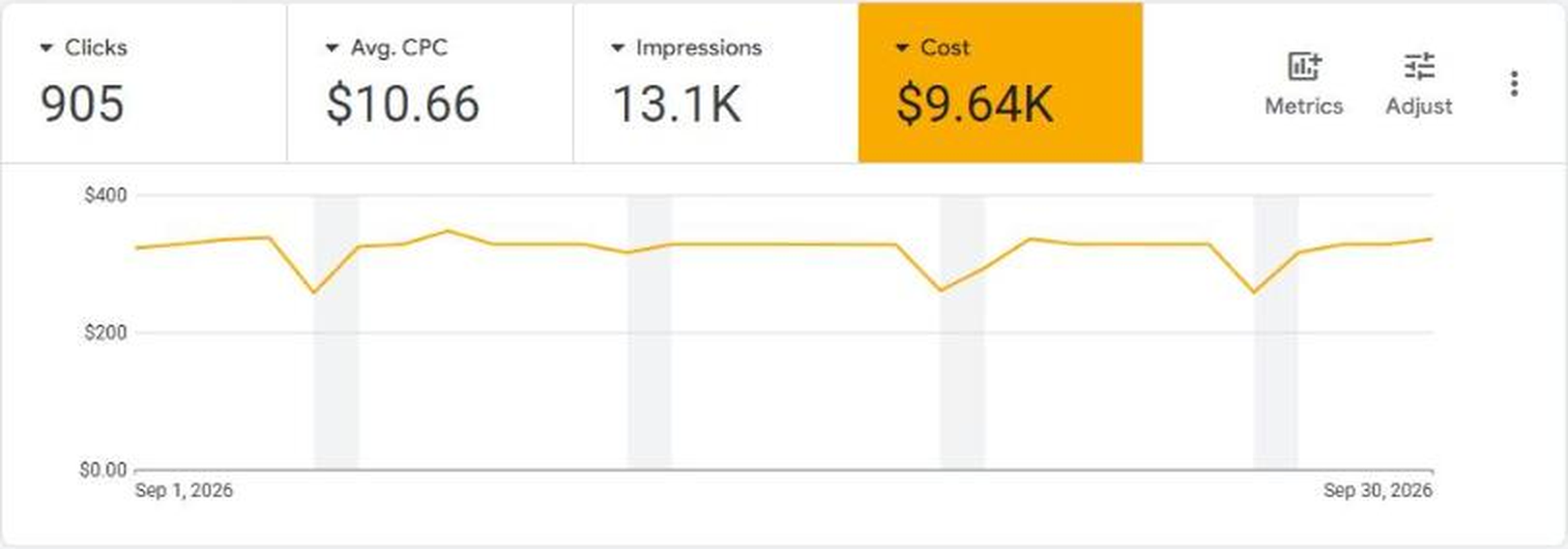
We set the account up so it keeps working as the website grows, with Performance Max picking up new pages on its own. That held up. In July and August the account ran without our day-to-day management, and spend kept climbing. When we came back in September, it had its best month ever, $9.64K:
Moving Forward
The account went from $45 a year to $50.2K in eight months, with its best month in September. The next step is the content map: new articles on topics like changing careers and how to get into teaching, so the grant reaches more people while they’re still deciding whether to teach.
If your nonprofit has a Google Ad Grant that isn’t spending, there are more ways to put it to work than most accounts ever try, and you can see how we approach Google Ad Grants for education nonprofits. You can work with Digital Tabby to manage your Google Ad Grant and it all starts by booking a call.